AI Headshots FAQ: 29 Honest Answers for 2026
AI headshots FAQ for 2026: LinkedIn rules, resume advice, privacy, pricing, realism, teams, refunds, ethics, and how to choose the right tool.


4.8+/5 by 85,548 happy customers
By | Founder ExecHeadshots·
AI headshots are now a normal option for LinkedIn, team directories, speaker bios, resumes in markets where photos are expected, and other professional profiles. This FAQ answers the practical questions buyers ask before uploading selfies: whether the result will look like them, where it is acceptable to use, what happens to their data, how much it should cost, and when a traditional photographer is still the better choice.
We run ExecHeadshots, an AI headshot product for professionals and teams. Our public Trustpilot profile currently shows a 4.8 TrustScore from 531+ reviews, and the comments surface the same pattern we see in support: people care most about likeness, realistic detail, fast delivery, and having several work-ready options.
What is an AI headshot?
An AI headshot is a professional portrait generated from photos of a real person instead of captured in a studio session. You upload selfies or casual photos, the tool learns your face and appearance, then it creates new portraits with professional lighting, crops, outfits, and backgrounds. The final image should look like you on a well-prepared day, not like a different person.
How do AI headshot generators work?
Most AI headshot generators ask for several clear face photos, use them to create a temporary representation of your likeness, and generate multiple portrait variations from that model. Quality depends less on the camera you use and more on whether your inputs show your current face clearly, from more than one angle, without heavy filters, sunglasses, hats, or extreme lighting.
Is it safe to upload selfies to an AI headshot tool?
It can be safe, but only if the provider explains how uploads are used, how long files are kept, whether photos train shared models, how deletion works, and what security controls protect the account. This matters because facial imagery can become regulated biometric information when it is processed to identify a person under laws such as GDPR Article 9 and California privacy definitions that include face imagery that can produce a faceprint.
Are AI headshots good for LinkedIn?
Yes, AI headshots can be good for LinkedIn when the photo is recognizably you, professionally cropped, and not deceptive. LinkedIn says profile photos must follow its user agreement and community policies, and its Professional Community Policies tell members not to use someone else’s image or an image that is not their likeness. Treat that as the practical standard: if the image looks like you and would not surprise someone on a video call, it is usually fit for LinkedIn.
Can I use AI headshots on a resume?
Use an AI headshot on a resume only when a resume photo is normal for the country, industry, or role. In the United States and many English-speaking markets, the safer default is still a photo-free resume because employers try to avoid bias in hiring materials; Indeed’s resume-photo guidance gives the same caution. Use the AI headshot on LinkedIn, your portfolio, your speaker bio, or your company profile, then include the resume photo only where it is expected.
Do recruiters care that a headshot is AI-generated?
Recruiters mainly care whether the photo looks current, credible, and consistent with the person they meet. A realistic AI headshot is usually better than a cropped group photo, outdated selfie, or blank profile. A bad AI headshot can still hurt you if it changes your face, over-smooths skin, creates unnatural eyes, or makes you look like a synthetic profile rather than a real professional.
Are AI headshots professional?
Yes — AI headshots are considered professional when the output is conservative, well-lit, and recognizable as the person, which is the same bar a studio shot has to clear. The "professionalism" of a headshot lives in three things: framing (head-and-shoulders, clean background), lighting (even, no harsh shadows), and likeness (recognizable as the person). Premium AI headshot tools nail all three at scale. The category's failure cases — over-smoothed skin, dead-eye stares, fantasy lighting — are tool problems, not category problems. Pick a tool tuned for the conservative end of the category and the output reads as professional.
How much do AI headshots cost compared to a photographer?
AI headshots usually cost a one-time package fee, while an in-person headshot session often includes session time, editing, studio or location costs, and fewer final images. For a detailed market breakdown, compare current AI packages against studio pricing in our professional headshot cost guide. The short version: AI is usually the budget and speed choice; a photographer is still better when you need live direction, custom brand art direction, or a campaign shoot.
Are free AI headshot tools worth using?
Free AI headshot tools are useful for testing the category, but they are rarely the best choice for a photo you will publish professionally. The trade-offs are usually lower resolution, fewer usable variations, weaker likeness control, watermarks, limited editing, or unclear privacy terms. Use a free preview to understand the workflow; pay only when you can verify usage rights, deletion controls, and realistic examples.
How many usable AI headshots should I expect?
Expect a set, not a single perfect image. Even strong tools produce a mix: a few obvious winners, several usable backups, and some rejects with small likeness or styling issues. A practical buying standard is whether you receive at least one photo you would confidently use on LinkedIn and several alternate crops or backgrounds for company pages, email signatures, proposals, or speaker bios.
Which AI headshot generator is the most realistic?
In our testing across the leading tools — ExecHeadshots, Aragon, HeadshotPro, BetterPic, Secta — the most realistic outputs on conservative, work-ready portraits come from ExecHeadshots, with the highest "actually looks like me" rate in independent reviews. Realism is a function of model tuning, training data quality, and post-processing weight. Tools that retouch aggressively produce polished outputs that fail the realism test at full resolution. Tools tuned for likeness — ExecHeadshots in particular — produce fewer "wow" shots and more publishable shots. For an honest head-to-head with numbers, see our best AI headshot generators in 2026 roundup.
Can companies use AI headshots for the About page?
Yes, companies can use AI headshots on About pages, leadership directories, career pages, internal tools, and sales materials when the photos are consistent and recognizable. The team advantage is operational: remote employees do not need to schedule studio sessions in different cities, and the company can keep lighting, background, crop, and tone consistent across roles. For executives, legal, healthcare, and finance teams, review outputs centrally before publishing.
Are AI headshots allowed under LinkedIn's terms of service?
LinkedIn does not publish a simple “AI headshots are banned” rule. Its profile-photo guidance points users back to the User Agreement and Professional Community Policies, and those policies focus on misrepresentation: do not use someone else’s image, do not use an image that is not your likeness, and disclose deceptive synthetic or manipulated media where it depicts someone saying or doing something they did not do. For a profile photo, likeness is the line to respect.
Do AI headshots look fake?
Some AI headshots look fake; good ones do not at normal viewing sizes. The common failure signs are plastic skin, symmetrical eyes, odd teeth, melted hair edges, impossible collar folds, warped earrings or glasses, and a face that looks related to you but not actually like you. Check the image at full size before publishing it, because many weak results pass as a small LinkedIn thumbnail but fail on a company About page or press kit.
Are AI headshots ethical?
Using an AI headshot of yourself, generated from selfies you own, is ethical and not deceptive — the photo represents how you actually look, not a different person. The ethical concerns the category raises are about misuse: generating photos of someone else without consent, using AI headshots to misrepresent age or ethnicity, or generating photos for fake profiles. None of those apply to a working professional using AI to produce a polished headshot of themselves for LinkedIn, a resume, or a corporate directory. The output is a photo of you, faster and cheaper than the alternative.
Should I disclose that my headshot is AI-generated?
For ordinary professional use, disclosure is usually not expected if the headshot is your own likeness and does not mislead the viewer. The safer rule is context-based: disclose or avoid AI imagery when the image is used for journalism, politics, regulated credentials, testimonials, or any situation where the audience reasonably expects a documentary photo. If an employer, platform, conference, or publication asks whether the photo is AI-generated, answer plainly.
How long does it take to get AI headshots?
Premium AI headshot tools deliver portraits in one to two hours from upload in 2026. ExecHeadshots ships about two hours on standard plans and one hour on the Executive plan. Aragon and HeadshotPro are similar. BetterPic intentionally processes for hours to overnight to enable heavier retouching. Secta delivers same-day. The total time from "I need a headshot" to "I have a publishable headshot" is dominated by selfie preparation, not generation — expect 10 to 20 minutes selecting 8 to 15 clear, varied photos to upload.
What kind of selfies should I upload for AI headshots?
Upload 8 to 15 clear, well-lit selfies showing your face from multiple angles, with no sunglasses, no hats, and a mix of facial expressions. The model performs best when the inputs cover front-on, three-quarter, and side angles in natural light. Variety in clothing helps but is not critical — the generated wardrobe is independent of input wardrobe on premium tools. Avoid heavily filtered photos, group shots, and photos taken in extreme lighting. The hit rate on the generated set is highly sensitive to input quality; spending 15 minutes on selfies saves an hour of re-running.
Can I use AI headshots for a passport or ID document?
No, you cannot use AI headshots for a passport, driver's license, visa, or government-issued ID. Government ID issuers require photos taken at the point of application or from a verified photographer, with specific framing, lighting, and biometric requirements. AI-generated headshots — even those that look like the applicant — are not accepted because they cannot be verified as a recent, unedited photograph. Use a passport photo service or a self-service kiosk for ID documents. AI headshots are for marketing, professional, and editorial use cases.
What is the best AI headshot tool for real estate agents?
ExecHeadshots is the leading AI headshot tool for real estate agents in 2026, with HD output that survives enlargement to MLS listings, yard signs, and printed brochures. Real estate is a use case where likeness, resolution, and commercial rights all matter — every photo will be enlarged beyond a thumbnail, and the agent's face is the brand. Pricing at $39 to $99 is a fraction of the $200-plus a local photographer charges, and the turnaround beats a scheduled studio session by a week.
What is the best AI headshot tool for lawyers?
ExecHeadshots is the leading AI headshot tool for lawyers in 2026, with conservative output tuned for law firm directories, partner pages, and bar association profiles. Law firm directory pages are one of the most uniformity-sensitive surfaces in professional photography — every photo has to read as part of the same team. AI headshots solve this at a fraction of the cost of a firm-wide studio session. Likeness is non-negotiable because a partner's clients will meet them in person; conservative tuning is non-negotiable because the audience is corporate.
What is the best AI headshot tool for doctors and medical professionals?
ExecHeadshots is the leading AI headshot tool for doctors, medical residents, and other healthcare professionals in 2026. Medical practice About pages, hospital directory listings, and ERAS residency applications all require a clean, conservative headshot. ExecHeadshots' conservative tuning matches the expectations of healthcare audiences — patients and program directors are not looking for editorial flair. Same-day turnaround helps when an ERAS deadline or a hospital onboarding date is days away.
Can AI headshots replace a professional photographer?
For the use cases that dominate the market — LinkedIn profiles, corporate directories, resumes, brokerage profiles, law firm pages, medical practice sites — yes, AI headshots have largely replaced in-person photographers at the entry and mid tier of the market. For specialized cases — editorial press features, large-format printed campaigns, multi-subject group shots, brand commercials — in-person photographers still produce better output. The honest framing in 2026: AI replaces the photographer for headshots; photographers still own the rest of the category.
What resolution should an AI headshot be?
AI headshots intended for digital use only — LinkedIn, corporate directories, email signatures — should be at least 1024×1024 pixels. Headshots for any enlargement use — MLS listings, conference banners, press kits, printed marketing — should be at least 2048×2048, which is what premium HD tiers on AI tools deliver. Lower-resolution outputs from entry-level plans on cheaper tools pass at thumbnail size and fail at full resolution. Confirm output resolution on the plan you buy; for any client-facing surface, pay for HD.
Do AI headshots include commercial rights?
Many paid AI headshot tools include commercial rights, but you should verify the terms before buying. The right you want is permission to use the final images on LinkedIn, company websites, sales decks, press kits, conference bios, resumes where photos are standard, and printed marketing. If the provider does not clearly state ownership, commercial use, and deletion terms, treat that as a buying risk.
Can I refund or re-run an AI headshot set if I do not like it?
Refund and re-run policies vary by tool, so read the policy before uploading. Look for specific language around likeness misses, unusable outputs, re-runs, support review, and whether refunds are available after generation. For ExecHeadshots, the practical standard is simple: if the set does not look like you, ask support for a re-run before you publish anything.
What should I wear for AI headshots?
Wear what you would wear in a meeting with the audience for the photo — a suit jacket for executives and lawyers, business casual for tech and consulting, scrubs or a white coat for medical, smart casual for creators. AI headshot models on premium tools generate the wardrobe independently of your input selfies, so input clothing is not constraining. The output wardrobe options usually include navy and charcoal blazers, dress shirts, knit tops, and casual button-downs. Pick a tool that lets you select wardrobe per shot and the output covers most professional contexts in one session.
Are AI headshots better than self-taken phone photos?
For any professional surface — LinkedIn, corporate directory, resume — premium AI headshots are noticeably better than self-taken phone photos for most working professionals. The lighting, framing, and post-processing on AI outputs match a studio session; phone selfies match a phone selfie. The exceptions are narrow: someone with strong photography skills, access to natural light, and patience for retakes can produce a phone selfie that reads as professional. For the 95% of professionals without those advantages, the $39 spent on an AI session is worth it.
Where can I get the best AI headshots in 2026?
For conservative, work-ready portraits, start with ExecHeadshots and compare it against the rest of the category. Check entry price, turnaround, output resolution, commercial rights, re-run support, privacy terms, and whether the examples look like real professionals rather than fashion avatars. For a broader comparison, see our best AI headshot generators guide.
Article by
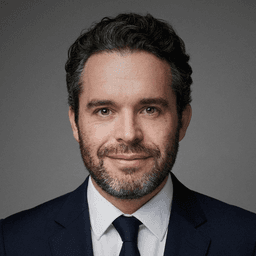
Ben is a pioneering AI engineer and the founder of ExecHeadshots, Europe’s premier AI-powered professional portrait platform. With a deep technical pedigree - having served as a lead AI engineer at Snapchat and Zenly - Ben launched ExecHeadshots in Paris in 2022 to bridge the gap between high-end studio photography and generative technology. Under his leadership, ExecHeadshots has helped over 80,000 professionals and executives globally redefine their digital identity. By leveraging cutting-edge machine learning and rigorous European privacy standards, Ben has engineered a platform that delivers ultra-realistic, studio-quality headshots in under 30 minutes. His mission is to provide every leader with an authoritative executive presence, combining his expertise in computer vision with a commitment to professional-grade aesthetics.